AVAILABLE TO PLAY · VERY EARLY PREVIEW / WORK IN PROGRESS
Kingdoms & Caravans
A small city. A fight worth preparing for.
Build a settlement that works. Keep food, stone, planks, and iron moving, then turn walls, stairs, and garrisons into a defense you can actually command.
Single player · Plays offline · Mouse & keyboard Very early, unsigned work in progress. Expect rough edges and balance changes.
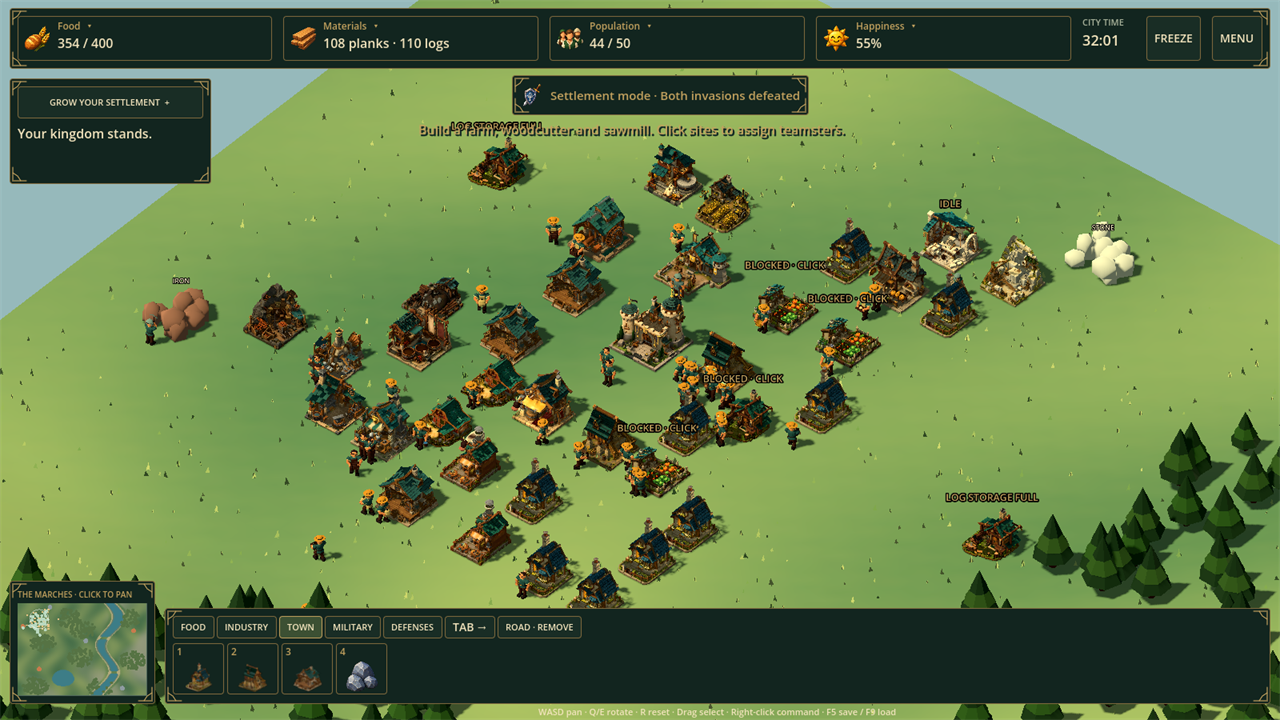
THE GROWING CITY Actual gameplay · Full size ↗
Raids at 6 & 14 minutesGuided opening, then two invasions
A growing settlementConstruction, supplies & housing
Build a defenseWalls, stairs, gates & garrisons
Time to thinkFreeze, build once, then play
WATCH THE CITY WORK
Every defender costs you a worker.
The same people build your town, run its economy, and become your army. More soldiers can save the castle. Recruit too many, and the city that feeds them stops working.
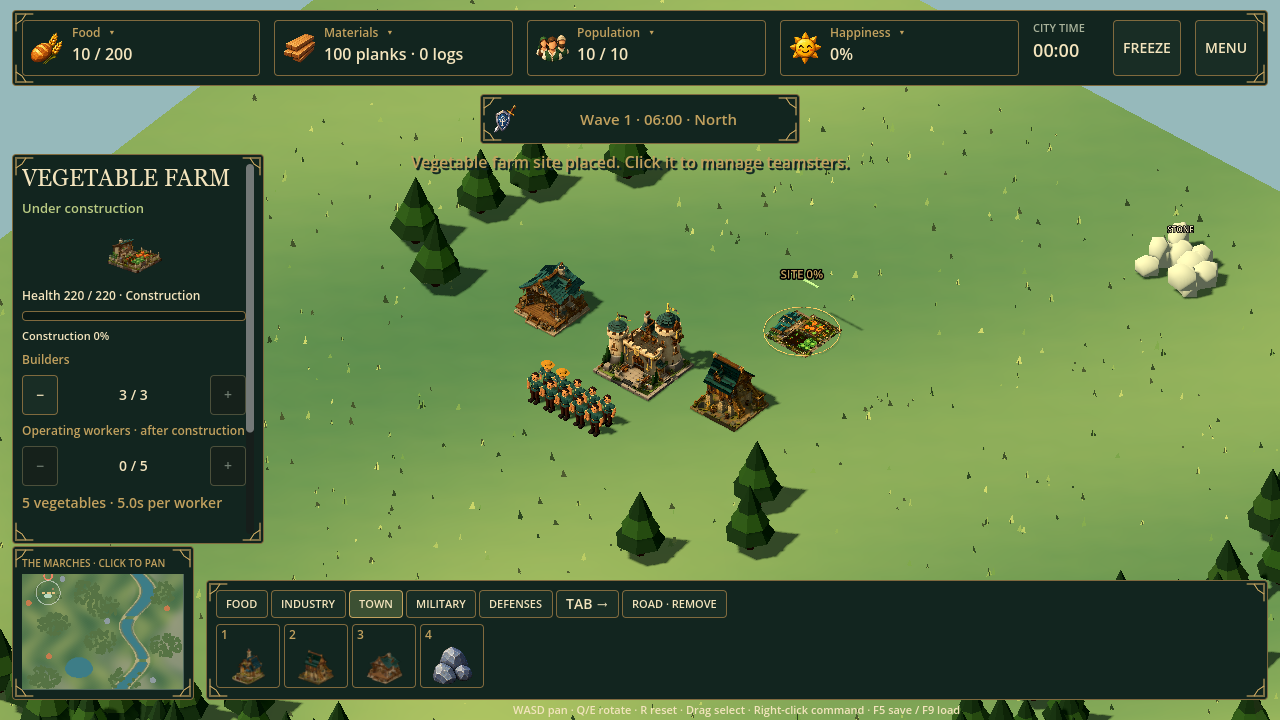
Teamsters haul planks to a site before building it; stone and iron construction costs are committed when the order is placed. Hover, click, or use the hotkey to read a building's description and cost. Freeze the simulation when you need to think; one valid construction can be placed during each freeze.
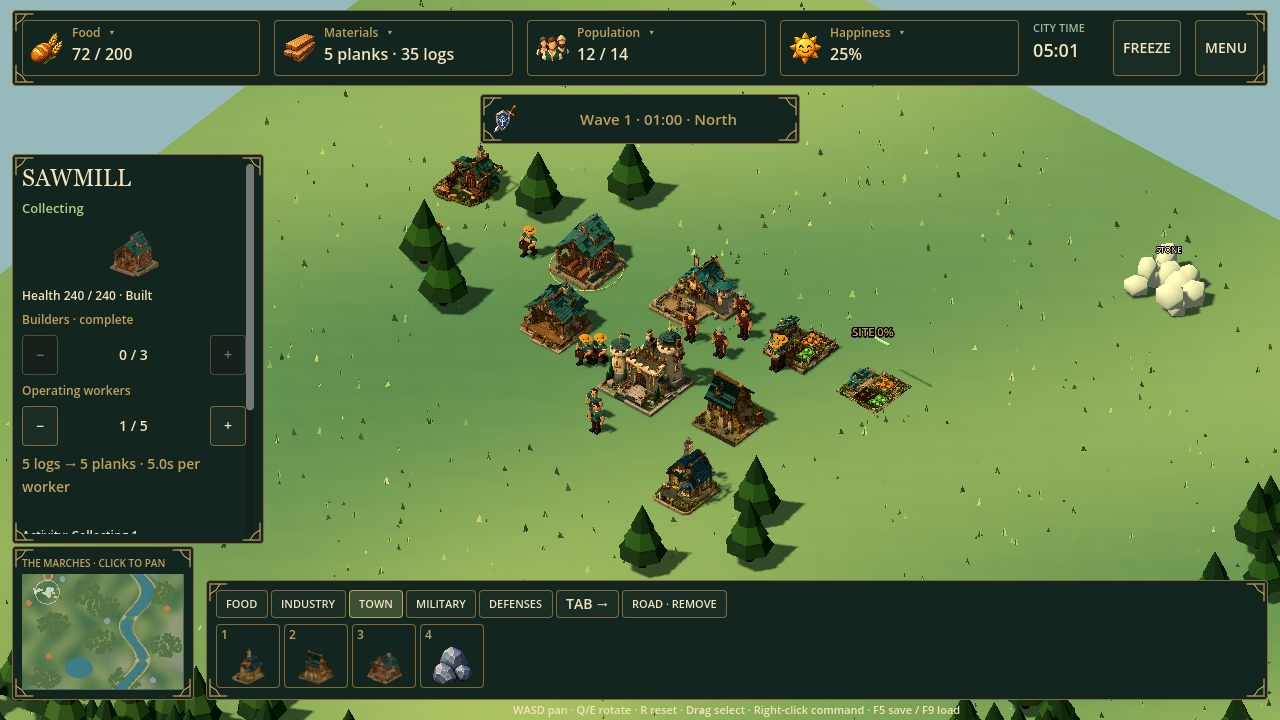
Workers find the nearest reachable resource node, even when it is far away. Wood becomes planks, stone feeds fortifications and roads, and iron starts the smithing chain. Roads are worker-built 2 × 2 stone patches; their speed bonus starts when construction is complete.
Houses create space for newcomers; a staffed farm and a food reserve let them arrive. Everyone eats, including troops. Shortages slow work and weaken your defense, so growth needs a working economy behind it.
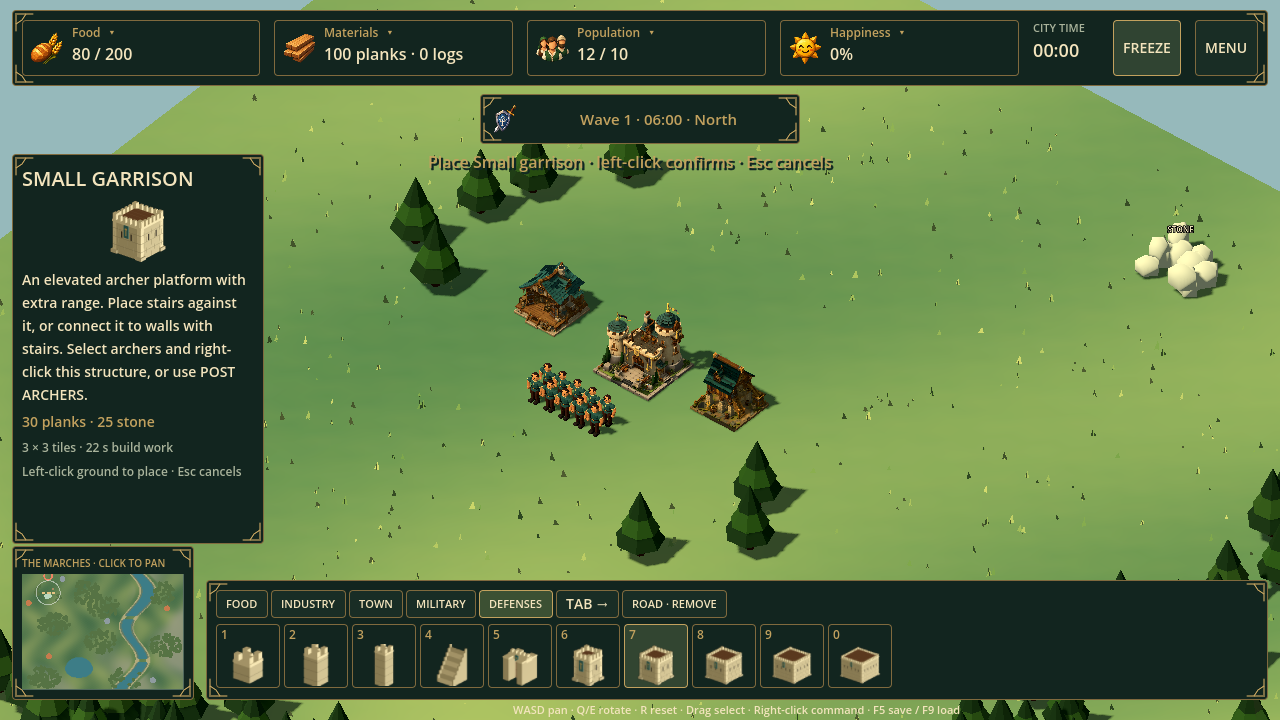
Stairs connect directly to garrisons or through connected wall and gate decks. Post archers on walls and garrisons, then use the translucent green destination circles to see where troops are headed. Survive both waves with the castle standing, then continue building if you want.
In-engine gameplay and interface captures. The developed city comes from an automated playthrough using normal commands and starting supplies; the inspector images demonstrate individual controls. Select an image to inspect the interface.
YOUR FIRST RUN
Build the city that will keep you alive.
You start with ten civilians and a supply of food and planks. Here is a useful opening, with room to find your own.
01
Secure food.
Place a farm near the granary. Let teamsters finish it, then keep it staffed. Your starting food will not last forever.
02
Connect the wood economy.
Put a woodcutter near trees and a sawmill along the route to the storehouse. Click buildings to adjust workers and read production status.
03
Make room, then recruit.
Add housing while keeping spare food. Build a barracks and turn some citizens into defenders. Keep enough civilians to supply the town.
Before each invasion, make a choice.
Another farm, a house, a road, or another archer? If the city needs workers back, demobilize a selected soldier. Watch the invasion warning, use the minimap to find the approach, and spend a freeze on one deliberate construction when the timing matters.
Woodcutter→Logs→Sawmill→Planks in storage→Your next building
THE BUILD BEHIND THE SCREENSHOTS
What you are downloading.
Version 0.3.2 is a very early Windows x64 preview of Kingdoms & Caravans. The Growing City is a small survival RTS slice, and this candidate focuses on readable building decisions, connected fortifications, and a defense you can play through.
In the game today
One map, two raider waves, guided opening, and a Continue Building flow after victory.
Vegetable, wheat, dairy, and meat food groups with happiness, immigration, recipes, and troop meal effects.
Physical construction with building descriptions and material costs on hover, click, and hotkey selection.
Food, housing, logs, planks, stone, iron, and an equipment industry for swords, shields, armor, and trained heavy troops.
Walls, stairs, gates, garrisons, archer posts, connected deck access, and wall or garrison firing.
Worker-built 2 × 2 roads that grant speed after completion, plus nearest-reachable-node gathering without a distance cap.
Compact category building bar, 1–0 selection, Tab category cycling, freeze/play, local saves, and an in-game updater.
Still a very early preview
The raid scenario has two invasions. Continue Building keeps the city running afterward; there is no campaign or endless invasion mode.
Caravans and multiplayer are not in this build.
Balance, clearer teaching, polish, and broader hardware testing need more play.
The Windows executable is unsigned. This is work in progress, not a finished release.
PLAYTEST CHECK · SEPTEMBER 7, 2026
Played through. Systems checked.
The current candidate was playtested through the new fortification, freeze/play, resource, road, building-bar, and archer-posting flows. Focused simulation and native interface checks passed, and the standalone Windows export launched cleanly in the recorded local run. That is useful evidence for this preview; it does not establish compatibility with every PC or polished balance.
Windows x64, mouse, and keyboard. No Godot or Blender installation, game account, or connection is needed to play after downloading.
Install the playtest
Download and extract the small Windows installer ZIP.
Run KingdomsAndCaravans.exe and choose Install and play. It downloads and verifies the full game.
Begin a new kingdom or load your existing save. The same executable works offline after installation.
Windows may warn about this unsigned executable. The release page identifies the build and provides its checksum. Keep Windows security protections enabled.
Update when you choose
Coming from 0.2.1 or 0.3.0? Use your existing updater. The small compatibility installer downloads and verifies the full game while keeping your save and old installation.
Select Check for updates in the menu. If a newer build is offered, choose Download update, then Restart with update when ready.
Your kingdom is saved before switching. If the download fails or is cancelled, your previous shortcut stays usable. After installation the same shortcut opens the game offline. GitHub checks and downloads need an internet connection.
For installation without a connection on the playing PC, download the full Windows ZIP on another PC and extract it. Keep your old folder for rollback.
The controls that matter
WASD
Pan the camera
QE / R
Rotate / reset camera
Mouse wheel
Zoom in and out
Tab / 1–0
Cycle categories / select visible building
Hover or click a building
Read description and costs
Space
Freeze / play; one construction per freeze
Drag a selection box
Select your troops
Right click / H
Move, post, attack, or hold
Esc
Cancel placement
F5 / F9
Save / load confirmation
A few practical answers
Where is my save? Can I keep my current kingdom?
Saves stay on this computer in the Godot app-data folder for Kingdoms & Caravans. The current build uses kingdom-city-v2.json and keeps a .bak backup. Use Save kingdom and Load kingdom in the menu. Legacy 0.2.x saves retain their original map dimensions; start a new kingdom to see the full current map and guided opening.
Keep a backup before testing an early preview.
Will it run on my PC?
The current download is for Windows x64. It has been checked on the development laptop, but minimum hardware requirements have not been established. Mac, Linux, mobile, controller, and browser builds are not provided in this playtest.
If it fails to start or runs poorly, include your Windows version and graphics hardware in a bug report.
Does the game need the internet?
Gameplay and local saves work offline. The initial installer and manually requested updates contact GitHub. There are no game accounts or analytics.
What happens after the second invasion?
If your castle survives both invasions, you win and can continue building the same city without another invasion. Start another kingdom to try a different opening. This build does not include a campaign, caravans, or multiplayer.
HELP SHAPE THE NEXT BUILD
Give it one honest run.
Where did you get stuck? Did shortages make sense? After the first invasion, did you want to keep building—or were you done?
Your opening choices and the moment you wanted to continue or stop are more useful than a score. For bugs, include the build version, what you expected, and what actually happened.